![logosimple.png]](https://kb.iprod.it/hs-fs/hubfs/logosimple.png?height=40&name=logosimple.png)
To properly power the iProd Tablet, follow these steps:
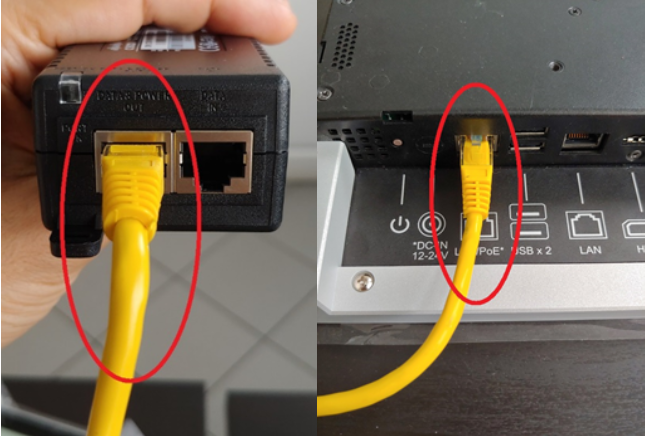
- Connect the Ethernet Cable: Plug the Ethernet cable into the PoE adapter's "DATA & POWER OUT" port.
- Connect to the Tablet: Insert the other end of the Ethernet cable into the LAN/PoE* port on the tablet.
- Connect the PoE Adapter to Power: Plug the PoE adapter into an electrical outlet.
Both the Ethernet cable and the PoE adapter are included with the tablet.
Note: All connection ports are located on the back of the tablet and are labelled with corresponding icons.
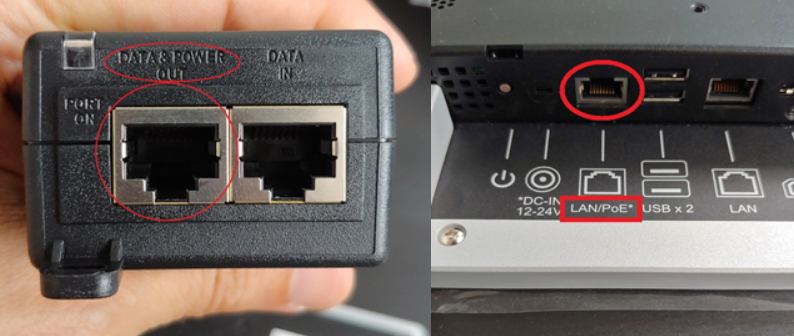
As we can see in the following figures: