![logosimple.png]](https://kb.iprod.it/hs-fs/hubfs/logosimple.png?height=40&name=logosimple.png)
-
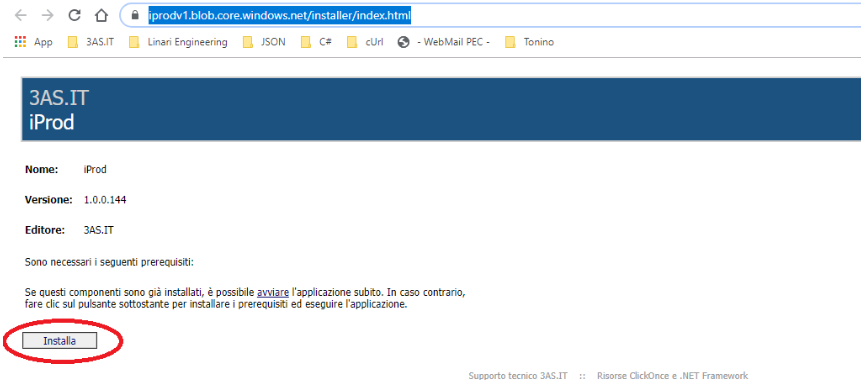
Access Installation Page: Open the web browser on your tablet and visit https://iprodv1.blob.core.windows.net/installer/index.html.
-
Download iProd Client: On the webpage, click the "Install" button to download the iProd Client installation executable.
-
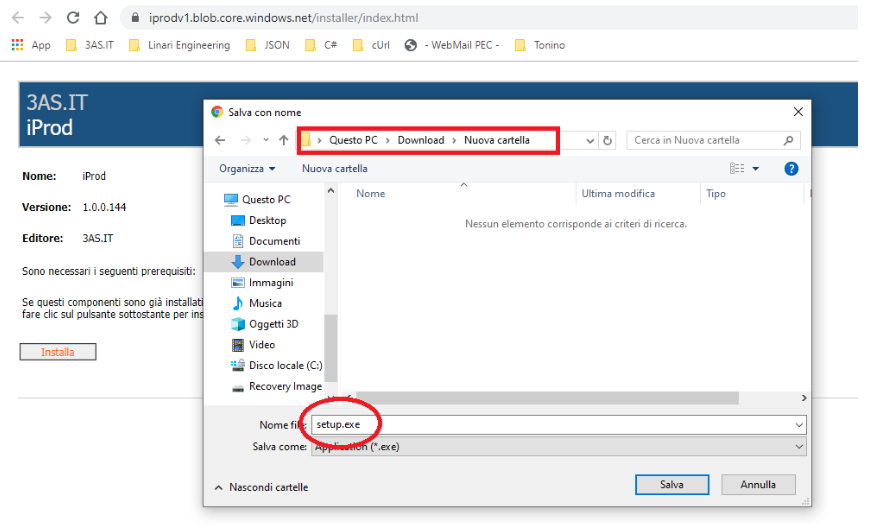
Save Installation File: Choose a location to save the downloaded file when prompted by your browser.
-
Initiate Installation: Navigate to the directory where you saved the file and double-click to start the installation process.
-
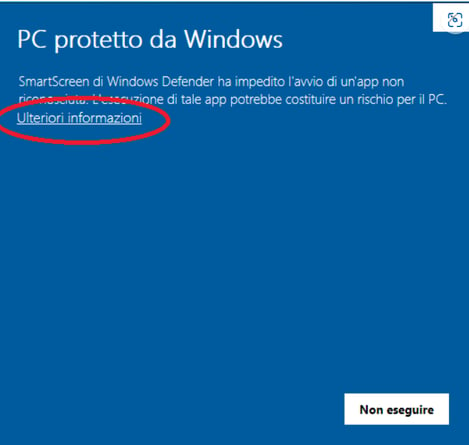
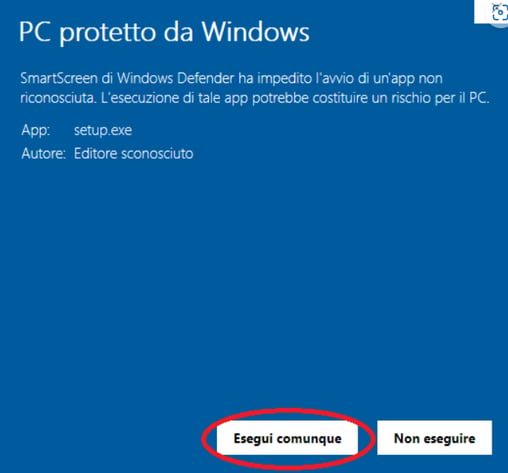
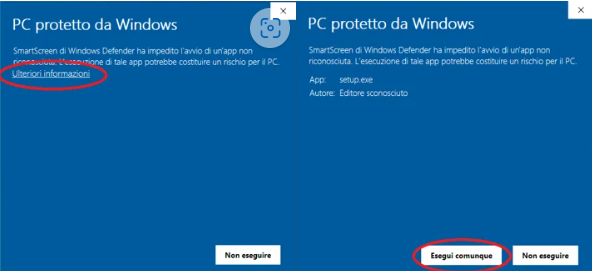
Handle Security Prompts: If a security warning appears, affirm the safety of the software:
- Click "More Info".
- Click "Run Anyway" to proceed with the installation.
-
 Complete Installation: The installation will begin with the download of necessary files. Confirm any additional security prompts.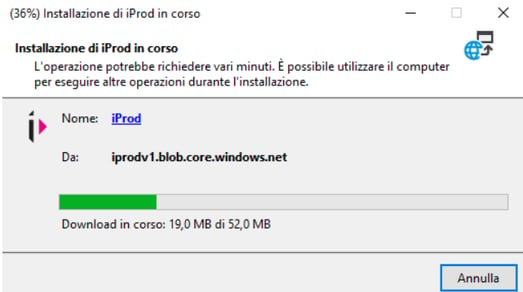
-
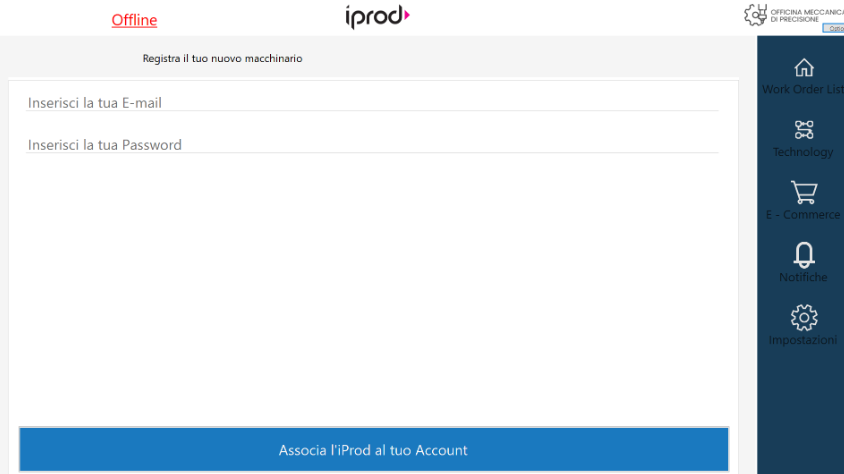
Launch iProd Client: Once installation is complete, iProd Client will launch automatically. You'll see the login screen where you can begin using the application.
- Log in: associate the iProd IoT tablet with your iProd Cloud typing in your usernane and password